Claude Cowork
The Complete Guide for Lawyers
Installation, configuration, legal workflows, MCP connectors, scheduled tasks. Everything you need to turn Claude into an autonomous collaborator for your firm.
 By Pierre Colliot Co-founder & Chief AI Officer, Zevra March 2026
 Most lawyers use Claude as a slightly smarter Google. You ask a question, you get an answer, you copy-paste the result into a Word document. It's useful, but it's chat.
Cowork is something else. You describe a goal, then you go do something else. Claude works autonomously on your machine, creates the files, and files them away in your folders. While you're pleading, meeting a client or sitting in a meeting, Claude organizes your documents, drafts your summaries, prepares your case-law research and drops the result into your folder structure.
This guide covers everything: installation, configuration, concrete workflows for lawyers, legal connectors, and the limits you need to know before putting anything sensitive into it. No useless jargon, just practical material you can apply.
Cowork vs Chat: why it's a different world
Classic chat: useful, but limited
You know Claude through chat. You ask a question, you get an answer. It's useful — and Claude does have a memory you can switch on so it remembers your preferences from one session to the next. But for each specific task, you have to re-supply context: copy-paste the relevant documents, re-explain the case, restate your expectations. And above all, Claude has no direct access to your files or to your legal sources.
What Cowork changes
Cowork is an autonomous agent built into the Claude Desktop app. In practice:
- You describe a goal: "Prepare a briefing note for me on recent case law concerning dismissal for gross misconduct in the banking sector."
- Claude breaks the task down into sub-steps.
- It executes each step: research, drafting, formatting.
- It creates the files directly in your folder.
- You come back 15 minutes later: it's done.
In concrete terms, you delegate a task as you would to a colleague. The difference: this colleague has access to your files, never loses context (within a Project), and can work while you're elsewhere.
You describe
Claude plans
Claude works
In your folders
You review
The difference in a table
| Criterion | Classic chat | Cowork |
|---|---|---|
| Logic | Question → Answer | Goal → Autonomous execution |
| Files | Manual copy-paste | Created directly in your folders |
| Context | Memory can be enabled, but context must be re-supplied per task | Persistent via Projects — Claude remembers the case |
| Sub-tasks | You break them down manually | Claude breaks down and parallelizes |
| Connectors | Limited | Gmail, Slack, Drive, legal MCPs |
| Scheduling | Not possible | Recurring automatic tasks |
| Mobile | Chat only | Dispatch: pilot it remotely |
Prerequisites and installation
What you need
- A Claude Pro subscription ($20/month) or Max ($100/month). Cowork is available from the Pro plan. Nothing more to pay.
- The Claude Desktop app on Mac or Windows (not the browser version).
- 30 minutes set aside for the initial configuration.
Step-by-step installation
Go to claude.com/download and install the app.
- Mac: macOS 11 (Big Sur) or later. Intel and Apple Silicon.
- Windows: Windows 10 version 2004+ (build 19041+). x64 only.
Open the app and sign in with your Claude Pro or Max account.
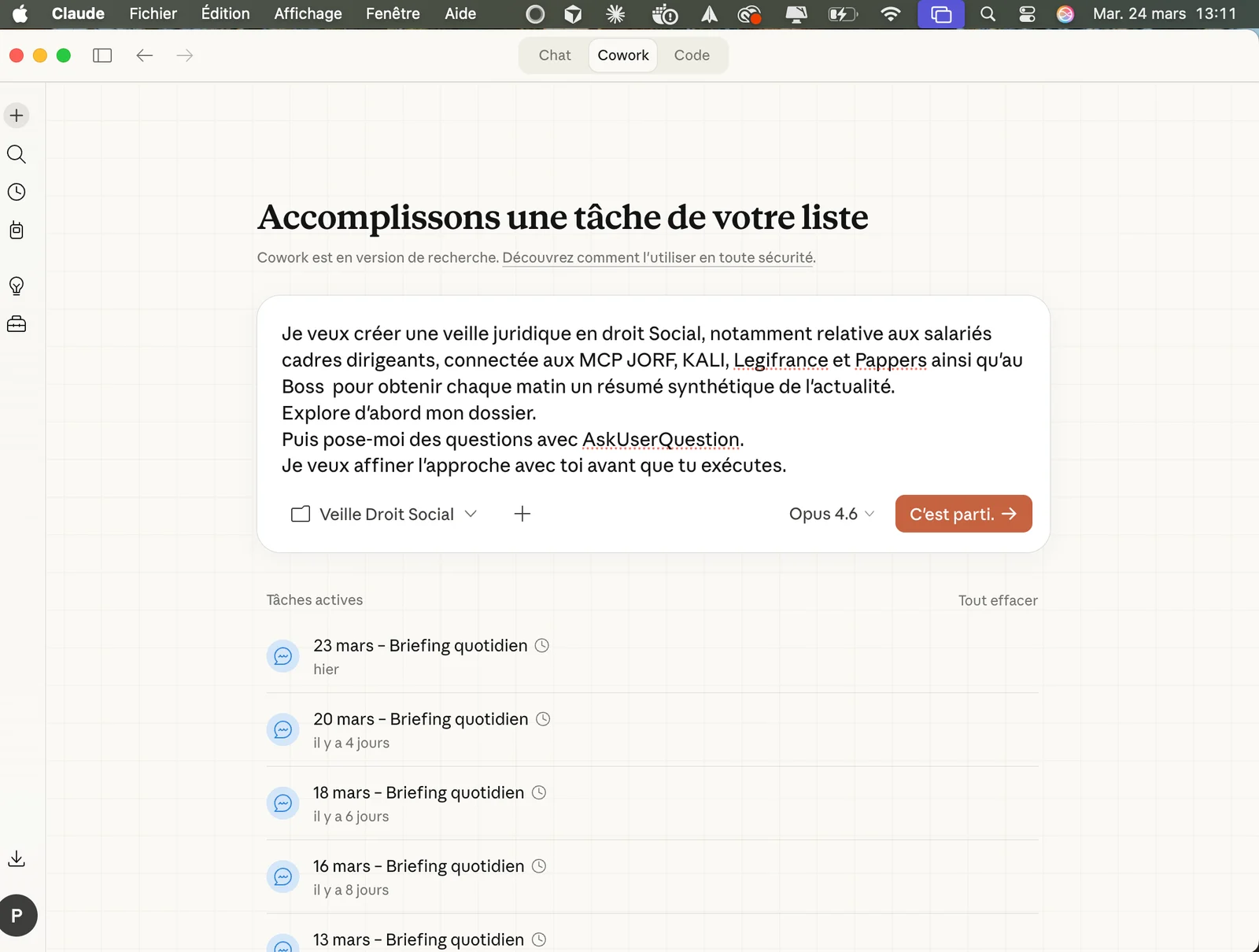
At the top of the interface, you'll see three tabs: Chat, Cowork and Code. Click Cowork.
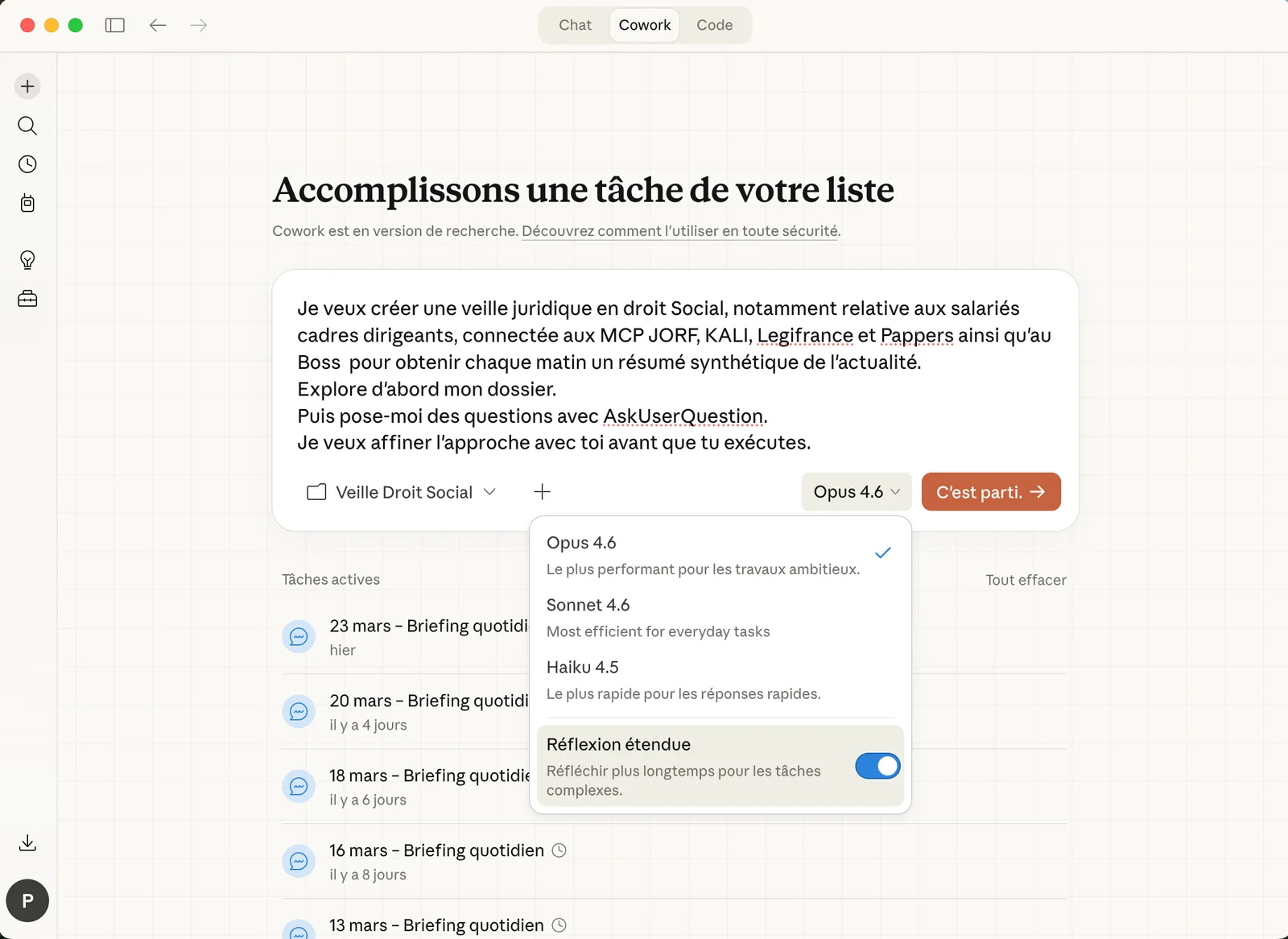
Select Opus 4.6 and turn on Extended Thinking. It's the most capable model available, the one you want for legal work.
Cowork will ask you to select a working folder. This is the scope within which Claude can read, edit and create files.
Recommendation: create a dedicated folder such as ~/Documents/Claude-Firm/ to start. You can expand it later.
The prompt that simplifies everything
Before we get into folders, files and structure: here is the prompt you should run at the start of every Cowork session.
How it actually works
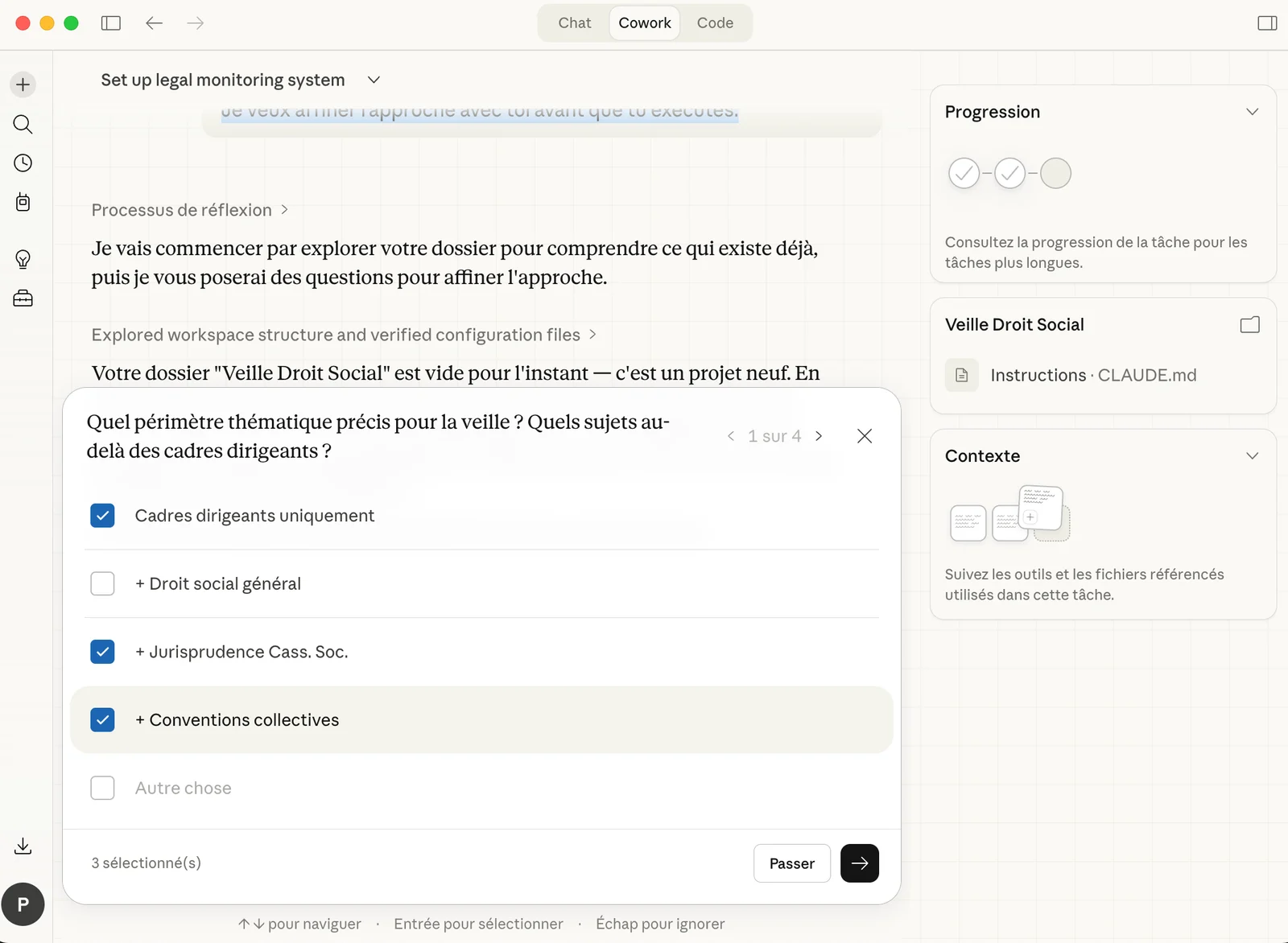
When you add AskUserQuestion, Cowork generates an interactive form: clickable buttons, options to select, choices to rank.
You no longer write a 500-word brief. You answer a brief that Claude wrote for you.
The process:
- Claude reads your files in the folder.
- It generates a form that asks for your preferences, your audience, your goals.
- You click your answers in under a minute.
- Claude shows an action plan. You approve it.
- It executes by creating real files in your folder.
It feels like directing someone competent rather than wrestling with a text box.
A concrete example for a lawyer
Claude will ask you: the desired period, the relevant level of jurisdiction, the specific points of the case, the desired output format. You click, it works.
/co as a shortcut and paste the universal prompt as the replacement. Three characters, and you're off. Your working folder
The part everyone skips
Without this structure, Cowork is an intern with no brief. With it, it's a senior associate.
The recommended structure for a firm
This folder tree lets Cowork produce quality results on your most complex tasks. Claude knows where to find context, where to write, and which templates to follow.
Why this structure
CONTEXT/: what Claude needs to know about your firm. It reads this before every task.Clients/: one subfolder per active case. The exhibits, the notes, the correspondence.Templates/: your best past work. Claude draws on it to reproduce your level of quality and your structure.Research/: monitoring, case law, doctrinal articles. The raw material.Deliverables/: the default place where Claude creates its files. Your source files stay intact.
The firm-context.md file
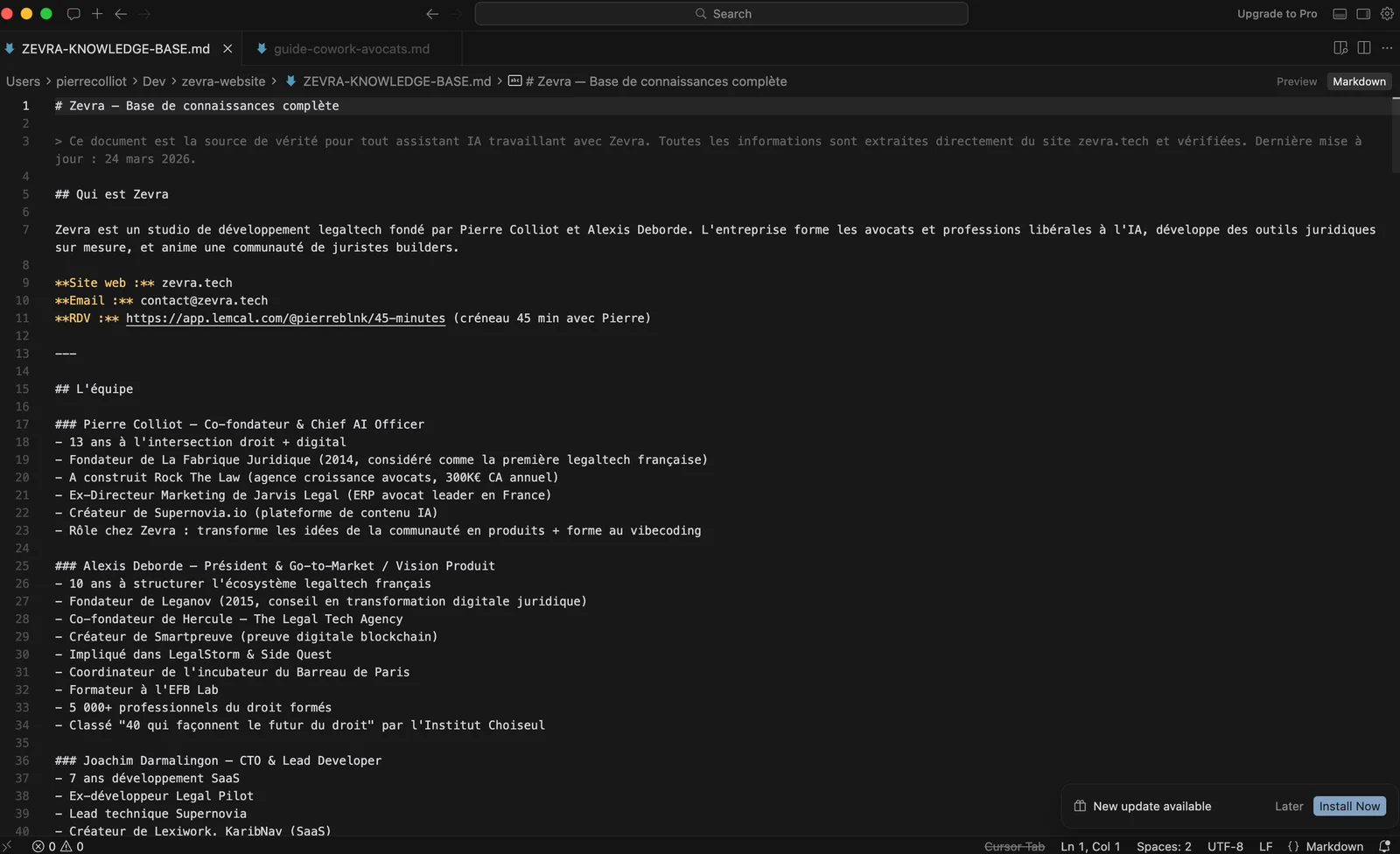
This is Claude's memory. Without it, you re-explain yourself every session.
The anti-ai.md file
This is your blacklist. Everything Claude must never do.
Examples: "Never start with 'Of course!'", "No systematic passive constructions", "Never cite an article without giving the source code or statute", "No phrasing like 'it is interesting to note that'".
The more precise this list, the less you have to rework the deliverables.
Global instructions (just once)
Go to Settings → Cowork → Global instructions. It's a permanent prompt that Claude reads before every session — a job description for your assistant.
You set this up once. It runs every session. You never type it again.
Projects: one per client matter
The concept
Projects turn Cowork from a one-off tool into a genuinely permanent workspace.
A Project = a folder + memory + permanent instructions + scheduled tasks.
When you create a Project, Claude remembers what you did together. It knows the matter's context. You no longer have to re-explain everything every session.
Creating a Project
In the left navigation panel, click the "+" next to "Projects". Three options:
- Start from scratch: a new project with instructions and files.
- Import from Claude Chat: transfer an existing project.
- Use a local folder: link a folder that already exists on your machine.
For a client matter, option 3 is the most natural: point it at the client's subfolder in your folder structure.
Permanent instructions: the real lever
This is text that Claude will read at every session within this Project. Example for an employment-tribunal matter:
With these instructions, every time you open this Project, Claude knows the framework it's working in. You save 5 minutes of context every session.
Project ideas for a firm
- One Project per complex matter: employment litigation, M&A, insolvency proceedings
- Legal monitoring: recurring research on your areas of specialty
- Models & templates: generating and updating your standard documents
- Communication: drafting articles, LinkedIn posts, the firm's newsletter
- Firm admin: billing follow-up, reminders, organization
MCP connectors: plugging Claude into French law
Why it matters
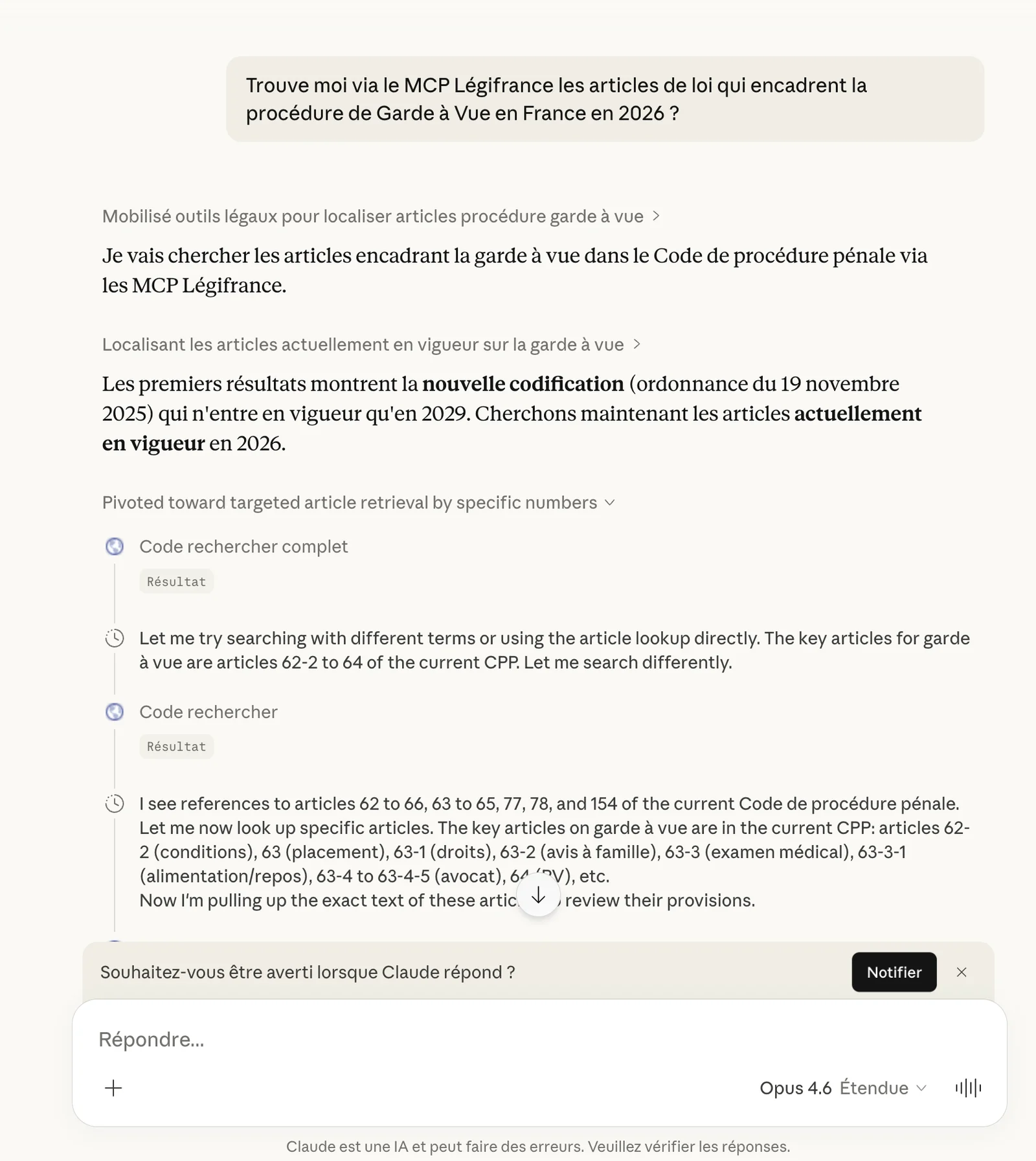
Without a connector, Cowork works only with the files you give it and the knowledge in its model. With MCP (Model Context Protocol) connectors, it queries official legal databases in real time.
For a lawyer, that means: querying Légifrance, collective agreements, the Official Journal or Pappers Justice directly from Cowork. Claude no longer "guesses" the law — it goes and fetches it at the source.
The Légifrance MCP (Code) - Free
Connect Claude to the laws, decrees and ordinances in force on Légifrance. Copy this configuration into your claude_desktop_config.json file.
Config file: Mac ~/Library/Application Support/Claude/claude_desktop_config.json · Windows %APPDATA%\Claude\claude_desktop_config.json
The legal connectors available
How to install them
Method 1 — Via custom connectors (recommended)
- In Claude Desktop, go to Settings → Connectors.
- Click "Add a custom connector".
- Enter the MCP server URL.
- Confirm and restart Claude Desktop.
Method 2 — Via the configuration file
For the more comfortable, edit the configuration file directly:
- Mac:
~/Library/Application Support/Claude/claude_desktop_config.json - Windows:
%APPDATA%\Claude\claude_desktop_config.json
Check that it works
Once your connectors are installed, test them:
If Claude returns sourced results with verifiable docket numbers: your connectors are working.
Scheduled tasks: automating the firm's routines
The principle
You can schedule Claude to run tasks automatically, at set times and frequencies. In Cowork, type /schedule or click "Scheduled" in the left sidebar.
4 essential scheduled tasks for a lawyer
1. Weekly case-law monitoring
2. Official Journal tracking
3. Procedural deadline audit
4. Weekly planning preparation
These tasks become even more powerful when connected to the legal MCPs. Monitoring goes from "a summary based on what Claude knows" to "a summary based on the decisions actually published this week on Légifrance".
Plugins and Skills: specializing Claude for law
Plugins, Skills, what's the difference?
A plugin is a complete package that bundles several elements: skills (specialized capabilities), connectors (links to your tools), slash commands, and sometimes dedicated subagents.
Skills are the heart of the system. They encode the domain expertise, best practices and step-by-step workflows that Claude calls on automatically when the context calls for it. When you install a plugin, its skills become available. You activate them with / or the + button in Cowork.
/review-contract, /triage-nda, etc. How to install a plugin
- In Cowork, click "Customize" in the sidebar.
- Click "Browse plugins".
- Choose a plugin and click "Install".
- Type
/in the chat to see the available commands.
The Legal plugin: the most relevant for lawyers
Anthropic has open-sourced a Legal plugin designed for in-house counsel. It's built for common-law systems, but its structure adapts directly to French law. It's a solid base for understanding what Skills make possible.
The 6 Skills in the Legal plugin
The Legal plugin's slash commands
| Command | What it does |
|---|---|
/review-contract | Analyzes a contract against your playbook, clause by clause |
/triage-nda | Quick pre-screening of an NDA (green/yellow/red) |
/vendor-check | Checks existing agreements with a vendor |
/brief daily | Morning brief: pending contracts, deadlines, open questions |
/respond | Generates a templated response for recurring requests |
How to adapt it to French law
Anthropic's Legal plugin is built for common-law systems (Delaware, New York, California positions). For a French firm, you need to adapt the playbook: your standard positions, your escalation thresholds, your legal references. The legal.local.md file is where you configure all of this.
It's configuration work, not code. You define your usual contractual positions (liability cap, intellectual property, governing law, confidentiality duration), and Claude uses them as a reference to analyze the contracts submitted to it.
Claude Legal Guide for French Lawyers
We're preparing a dedicated guide to the full configuration of the Legal plugin for French law: adapted playbook, standard contractual positions, integration with the Légifrance and KALI MCPs, employment-tribunal and business-law workflows.
Sign up for our webinars to be notified when it's released.
Other plugins useful for a firm
- Financial Analysis: for matters involving damages calculations, balance-sheet analysis or company valuations.
- Brand Voice: Claude analyzes your existing documents and extracts your writing style to make your output consistent.
Building a custom plugin
A custom plugin can encode your working methods: how you structure a writ of summons, your usual damages scales, your submission templates, your pre-hearing checklists. It doesn't require knowing how to code; it's structured configuration.
Anthropic has open-sourced the 11 reference plugins on GitHub. Each one is a template you can duplicate and adapt to your practice. The structure is in Markdown, not code.
Dispatch: pilot Claude from your phone
The concept
Dispatch lets you send instructions to Cowork from the Claude mobile app. Claude runs them on your desktop computer while you're elsewhere.
You're at the courthouse and need a quick search. You type on your phone:
When you get back to the office: the file is there, in your folder.
Setting up Dispatch
- Make sure Claude Desktop is open on your computer (it must stay on and awake).
- Install the Claude app on your phone (iOS or Android).
- Sign in with the same account.
- Your Cowork thread appears — it's the same workspace.
Mobile use cases
| Situation | Instruction from the phone |
|---|---|
| In a hearing | "Note the following opposing arguments: [...]. Create a sheet in the matter folder." |
| In a client meeting | "Check the applicable collective agreement for sector [X]." |
| On the move | "Prepare a draft formal-notice email for the Martin matter." |
| In the evening at home | "Run this week's case-law monitoring and prepare tomorrow's brief." |
8 concrete workflows for lawyers
Each prompt is ready to copy-paste. Adapt the folder names to your own structure.
Workflow 1 — Analyzing an employment contract
Workflow 2 — Preparing employment-tribunal submissions
Workflow 3 — Calculating severance pay
Workflow 4 — Monitoring a collective agreement
Workflow 5 — Onboarding a new client (family law)
Workflow 6 — Employment due diligence (business law)
Workflow 7 — Hearing preparation (criminal)
Workflow 8 — Writing an article for the firm's website
The limits, unfiltered
You need to know these points before making Cowork your everyday tool.
Security, professional ethics and GDPR
How it works technically
Cowork runs in an isolated virtual machine on your computer. The files you share stay on your machine. However, the text of your instructions and the content of the files Claude reads during a task are sent to Anthropic's servers so the model can generate its responses. This is how any online AI service normally works.
What is not sent: the files you haven't shared with Cowork, your other apps and system data.
Conversation history is stored locally on your computer. Cowork activity is not captured in Anthropic's audit logs, Compliance API or data exports.
The critical point for lawyers
Professional-ethics recommendations
Before submitting a contract or submissions to Claude, replace names, addresses and identifying personal data with pseudonyms.
Lexform automates this step: your documents and messages are pseudonymized before they are sent, by our own model hosted in France on OVHcloud, with nothing retained, and the mapping table stays on your computer. Install the Lexform extension →
Claude is a production tool, not a validation tool. Every case-law reference, every statutory article cited must be checked by you. MCPs reduce errors by querying the official sources, but don't eliminate them.
Professional secrecy applies to your digital tools. Make sure that:
- Your computer is encrypted (FileVault on Mac, BitLocker on Windows).
- Your session is locked when you're away from it.
- The Claude folders are not synced to an unsecured cloud.
- You control Cowork's network permissions (Settings → network access).
Inform your clients that you use AI tools in your practice. It's a transparency obligation, and most clients appreciate the honesty.
Anthropic identifies injections via web content as the main risk vector. If Claude browses the web during a task, it may encounter content designed to hijack its behavior. Limit web access to trusted sites via the network settings.
The right reflexes
- Anonymize data before processing
- Verify every legal citation
- Inform the client of the AI usage
- Use a dedicated, encrypted folder
- Limit access to what's strictly necessary
- Read the deliverables before sending them
- Send raw exhibits containing personal data
- Trust the results blindly
- Hide the usage
- Work on the desktop or in Downloads
- Give access to the entire hard drive
- Send directly to the client or the court
Going further
You now have what you need to configure Cowork, connect the official French legal sources, create Projects and automate your first tasks. That's the foundation.
Where it gets really interesting is when you combine all of it: custom templates for your specialty, custom plugins that encode your methodology, chained workflows that automate a whole documentary production chain.
Free resources
Zevra guides and training
Zevra develops and maintains the legal MCP connectors mentioned in this guide, and trains lawyers to use AI in their daily practice.
Ready to set up your firm?
Let's talk about your practice and the best way to integrate Cowork into your workflows.
Book a call with Pierre (45 min, free) contact@zevra.techThis guide is distributed for free. Feel free to share it, mentioning the source.
Claude Cowork is an Anthropic product. Zevra is not affiliated with Anthropic. The legal MCP connectors mentioned are developed and maintained by Zevra.